
When Your Business Outgrows Its HubSpot Website
Authored by: Kelsey Blum – Creative Director | Date Published: November 5, 2026
You’re ready to move off your HubSpot website when the monthly bill keeps climbing, simple design changes turn into workarounds, and you’d rather own your website than rent it. When that happens, it’s usually time to move to WordPress, and you don’t have to give up your HubSpot CRM to do it. In this post, you’ll learn the signs you’ve outgrown HubSpot CMS, how the costs compare to WordPress, what the switch means for your SEO, how HubSpot and WordPress work together, and what the move looks like with Brand House Marketing.
Think of it like your first apartment. Tiny kitchen, one closet, and a landlord who had to approve every nail in the wall. It was perfect at the time because it got you out on your own. Then came more stuff, more people, and bigger plans, and the place started to feel cramped.
A lot of businesses get to that same point with their HubSpot website. A web developer I know avoids building entire websites on HubSpot CMS, but says embedding HubSpot forms on a custom WordPress site works great. That combination, WordPress for the website and HubSpot for everything behind it, is where a lot of our clients end up.
Is HubSpot a good website platform for small businesses?
For many small businesses, yes. HubSpot’s CMS, called Content Hub, is a smart choice when your website is fairly simple and your team already uses HubSpot for marketing and sales. Your pages, forms, emails, contacts, and reporting all live in one system, so they work together without plugins or extra integrations.
HubSpot is often a great fit if:
- Your marketing team wants to do it all with one tool. Marketers can build pages, publish blog posts, and launch landing pages themselves in HubSpot’s drag-and-drop editor, right next to their emails and campaigns.
- Your team already lives in HubSpot. If sales and marketing work in HubSpot every day, keeping the website there means one less system to learn.
- Your site is mostly the essentials. Service pages, a blog, and landing pages, without custom tools or outside software to connect.
- You want to see what your website is doing for sales. Because your website and CRM share the same data, you can trace which pages and posts turn into leads and customers.
For a business at that stage, HubSpot gets a professional website up quickly and keeps it running with very little upkeep. Like that first apartment, it’s the right fit for where your business is right now.
Not having a developer on staff doesn’t rule out WordPress, though. Many of our clients don’t have one either. On WordPress, Brand House handles the hosting, updates, and security for you, and we train your team to make everyday changes on their own. The bigger question is whether you want an all-in-one platform your team runs itself, or a website you own with a partner looking after it. The rest of this post is for businesses that have started to outgrow HubSpot.
What are the signs you’ve outgrown your HubSpot website?
You might be ready to pack up if:
- Your HubSpot bill keeps climbing, but your website isn’t getting any better.
- Your team avoids asking for design changes because they’re a hassle or cost extra.
- You want something (a custom calculator, a member portal, a filterable resource library) and the answer is always “there’s a workaround.”
- You’re paying for a higher tier mostly for one or two website features.
- You’d like to own your website outright instead of renting it.
Checked two or more? It’s worth a conversation.
Why do businesses move away from HubSpot CMS?
Usually it’s because the business grew and the website didn’t grow with it. That’s not a knock on HubSpot. Its CMS comes with hosting, SSL, and a global content delivery network built in, and marketers can update pages in a drag-and-drop editor without calling a developer. For a smaller site that sits alongside HubSpot’s marketing tools, that’s a lot to like.
As a business grows, though, three things tend to push the decision.
Features sit in the higher tiers. HubSpot’s CMS is sold as tiered plans, and tools growing teams ask for, like smart content and page testing, start at the Professional level.
Design hits a ceiling. Templates and modules only stretch so far. Custom layouts and interactive tools often mean hiring a developer who knows HubSpot’s templating language, or settling for “close enough.”
Your design stays behind if you leave. HubSpot themes only run on HubSpot. You can export your pages and blog posts, but the design itself gets rebuilt from scratch.
How much does a HubSpot website cost compared to WordPress?
According to HubSpot’s own pricing page, Content Hub Professional starts at about $450 a month, and Content Hub Enterprise starts at $1,500 a month. That’s $5,400 to $18,000 a year for the platform, before design, development, or extra seats. Content Hub Starter costs less, but it’s also where most of the limits above come from.
WordPress itself is free, open-source software. You pay for hosting, a professional build, a few premium plugins, and ongoing maintenance, since WordPress sites need regular updates to stay secure. At Brand House, we roll hosting and maintenance into one monthly plan, so those costs are predictable. For a lot of the businesses we work with, the total adds up to less over time, and the money goes into a site you own.
Is WordPress better than HubSpot for SEO?
Not automatically, but it gives you more control. Both platforms can rank well, and HubSpot’s built-in SEO recommendations are helpful for catching common issues. WordPress goes further by letting you manage almost every technical detail that affects search, including URL structure, schema markup, redirects, image compression, and page speed, with proven plugins like Yoast or Rank Math.
Speed matters more than most people think. Research from Portent found that a B2B site that loads in 1 second has a conversion rate 3x higher than a site that loads in 5 seconds.
Three times. For four seconds.
On WordPress, you pick your hosting, caching, and code, so you have a lot more say in how fast your pages load.
Can I still use HubSpot CRM with a WordPress website?
Yes. Leaving HubSpot’s CMS doesn’t mean leaving HubSpot. The official HubSpot plugin for WordPress connects your site to your CRM, so you can keep using HubSpot forms, live chat, tracking, email marketing, and your contact database, depending on your HubSpot plan.
WordPress runs the website, HubSpot keeps running sales and marketing, and your team doesn’t have to learn a new CRM. HubSpot’s CRM is one of its biggest strengths, and keeping it means your contact history, deal pipeline, and reporting stay right where they are.
There is one catch. Out of the box, HubSpot forms bring their own fonts, buttons, and layouts, and they can clash with the rest of your site. As that same developer pointed out, it takes custom CSS to make them look like they belong. We handle that styling as part of the HubSpot integration.
Can I still use HubSpot landing pages after moving to WordPress?
Yes. HubSpot’s landing page builder is part of its marketing tools, so you can keep building campaign pages there after your main website moves. Many teams host them on a subdomain, like go.yourcompany.com, so they still feel like part of your brand.
Keeping landing pages in HubSpot makes sense when your marketing team builds a lot of campaign pages and wants them tied directly to HubSpot email, ads, and reporting. Building them in WordPress makes sense when you want every page to share the same design and you’re already using embedded HubSpot forms to capture leads. We can help you decide which setup fits the way your team runs campaigns.
Why is WordPress the most popular website platform?
According to W3Techs, as of September 2026, WordPress powers 40.2% of all websites and holds 58.7% of the market among sites using a known content management system. That popularity brings a huge plugin library, a big developer community, and long-term stability. You’re also not tied to one company’s pricing or product roadmap.
How does Brand House Marketing help businesses move from HubSpot to WordPress?
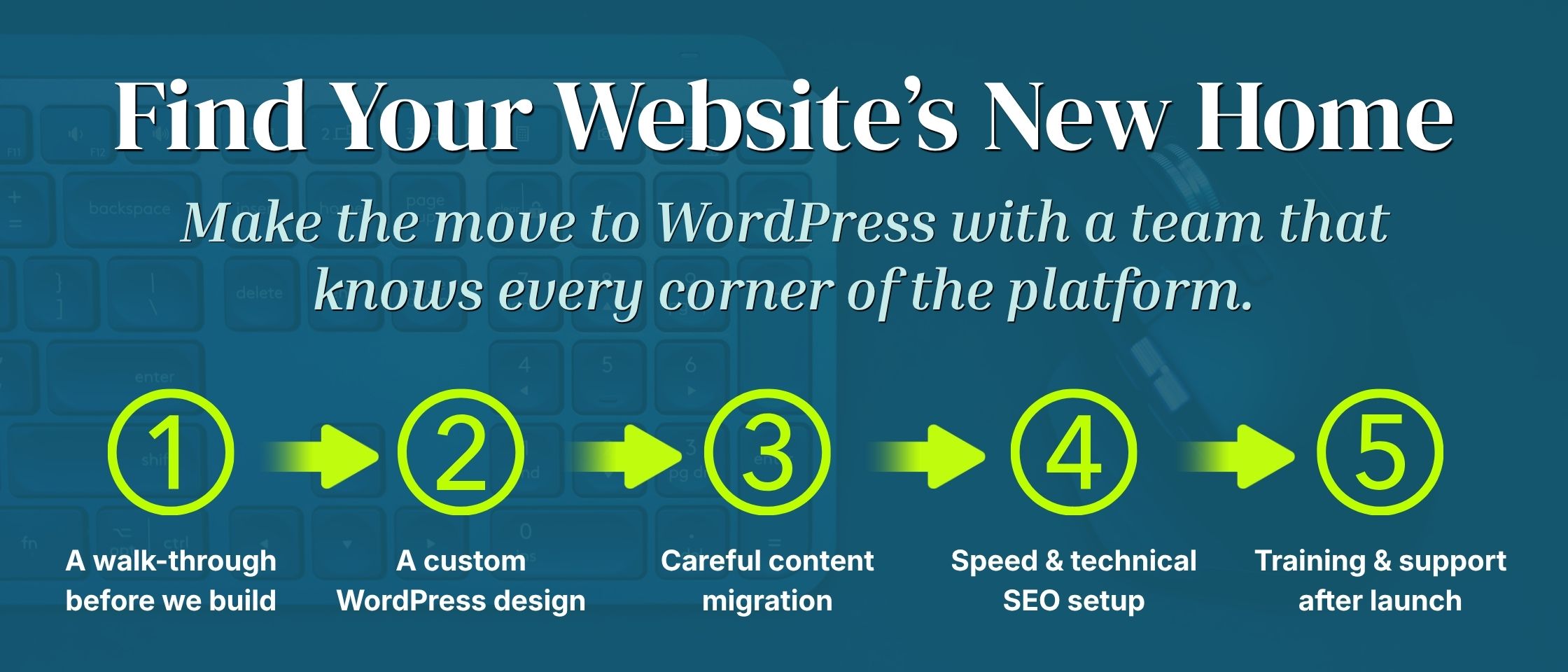
At Brand House Marketing, WordPress is the only platform we build on, and our web team has been building on it for more than five years. Here’s what the move looks like with us:
- A walk-through before we build. We audit your current pages, rankings, and traffic so we know what’s worth keeping before anything moves.
- A custom WordPress design. Built around your brand and your buyers.
- Careful content migration. We move your pages, blog posts, and resources, and set up 301 redirects to protect the search rankings and backlinks you’ve built.
- HubSpot CRM integration. We connect your forms, tracking, and contact data to HubSpot, and style your HubSpot forms to match the rest of your site.
- Speed and technical SEO setup. Clean code, caching, schema markup, and mobile-first design from day one.
- Monthly managed hosting. We host your site and handle maintenance, plugin updates, and security on a monthly basis, so none of that lands on your team.
- Training and support after launch. We show your team how to make updates on their own, and we’re here when you need help.
Ready to move your website off HubSpot?
If your HubSpot site feels expensive, cramped, or hard to change, it might be time for a place of your own. Moving to WordPress gives you more control over your design, your costs, and your SEO, and you can keep the HubSpot CRM your team already relies on.
The first step is a conversation. We’ll look at your current HubSpot setup, talk through what you need your website to do, and tell you whether a move makes sense right now. If it does, we’ll map out what the migration would look like, including design, content, HubSpot integration, and hosting.
Outgrowing your website usually means your business is growing. We’ll help you move in.